Beauty Switzerland: Elevating Your Designs with Elegance and Precision
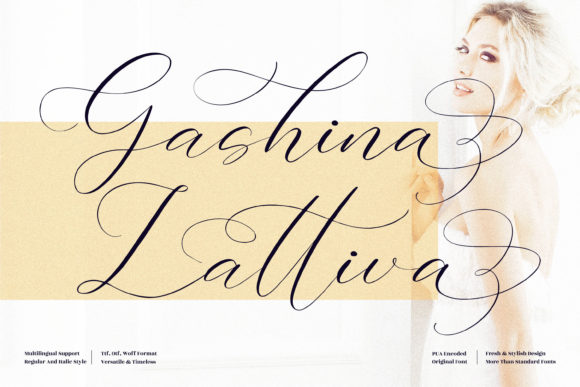
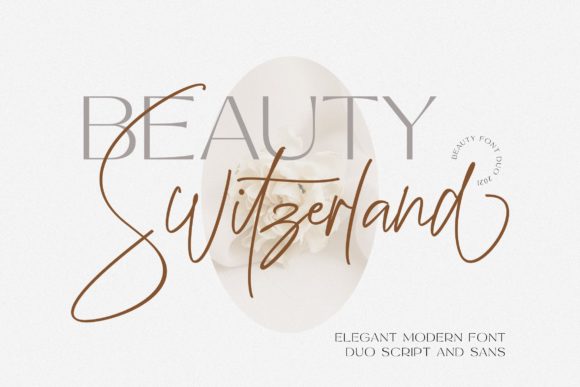
In the crowded digital landscape, where every pixel competes for attention, typography is often the silent architect of your brand's identity. Among the myriad of typefaces available to designers, Beauty Switzerland stands out as a sophisticated choice that blends classic elegance with modern versatility. This elegant, delicate, and distinct script font is designed to add a luxury spark to any design project you wish to create. Whether you are a small business owner crafting an invitation, a marketer designing a high-end product launch, or a hobbyist creating personal stationery, understanding how to leverage this specific typeface can transform a standard layout into a memorable visual experience.
However, owning a beautiful font is only half the battle. Many users fall into the trap of assuming that simply inserting Beauty Switzerland into a document will automatically yield professional results. Without a clear understanding of its technical specifications and stylistic nuances, even the most talented creators can end up with designs that feel disjointed, illegible, or technically flawed. The following guide addresses common pitfalls in selecting and applying this script, offering practical corrections to ensure your projects achieve the intended level of sophistication.
The Allure of PUA Encoding: Unlocking True Potential
One of the most significant advantages of Beauty Switzerland is its PUA (Private Use Area) encoding. This technical feature allows access to all the amazing glyphs and ligatures with ease, but it is frequently misunderstood by beginners. PUA encoding places characters in a section of the Unicode standard reserved for custom use, meaning these specific symbols do not appear in standard system character maps. While this offers immense flexibility for designers who need unique swashes, alternate capitals, and complex ligatures, it requires a different approach than using standard fonts.
A common mistake occurs when users attempt to type directly into basic text editors like Notepad or simple word processors expecting the full range of script features to activate automatically. Because PUA characters are mapped to specific keyboard codes rather than standard letters, relying on auto-correct or standard input methods often results in missing characters or garbled text. If your goal is to utilize the full library of ligatures that give Beauty Switzerland its fluid, connected appearance, you must work within software that supports OpenType features or has a dedicated glyph panel.
To avoid this frustration, always check if your design tool—such as Adobe InDesign, Illustrator, or specialized web editors—supports PUA fonts. When working in these environments, open the Glyphs panel and browse the specific subsets provided by the font. This ensures that every flourish and connection is rendered exactly as the designer intended. Ignoring this step can lead to a fragmented look where letters fail to connect, stripping the font of its signature script flow and making the design appear amateurish.
Context Matters: When Script Meets Readability
The delicate nature of Beauty Switzerland makes it a powerful tool for headlines, logos, and accent text, but it is often misused as body copy. A frequent error among entrepreneurs and bloggers is attempting to set long paragraphs of text in this script. While the font adds a luxury spark to titles, using it for dense blocks of information creates immediate cognitive friction for the reader. The varying stroke widths and intricate details that make the font beautiful also reduce legibility at smaller sizes or when viewed on mobile devices.
This oversight can severely impact user engagement and communication efficiency. If a visitor to your website cannot quickly scan your content because the font is too ornate, they are likely to leave before absorbing your message. The "luxury" feel is lost when the utility of the text is compromised. Instead of forcing the font to do heavy lifting, pair Beauty Switzerland with a clean, neutral sans-serif or serif font for body text. This contrast highlights the script without overwhelming the viewer, maintaining the balance between style and function.
- The Mistake: Using Beauty Switzerland for entire articles or long blog posts.
- The Correction: Reserve the script for headers, pull quotes, and short captions.
- The Result: Improved readability and a more professional hierarchy.
Evaluating Licensing Before You Download
Before integrating Beauty Switzerland into a commercial project, it is crucial to verify the licensing terms. The font market is filled with variations, and some versions may be free for personal use only, while others require a commercial license. A critical misunderstanding arises when freelancers and small business owners assume that downloading a font from a third-party site grants them unlimited rights to use it in client work. Using a font without the proper license can lead to legal complications, financial penalties, and the sudden need to rebrand materials.
To protect your investment and reputation, always purchase directly from the official foundry or a reputable vendor. Check the End User License Agreement (EULA) to see if it covers web embedding, print, and social media usage. If you are a freelancer, ensure the license allows you to pass the font usage rights to your clients. Taking a few minutes to review these details prevents costly errors and ensures that your creative output remains compliant and secure.
Optimizing for Different Media
Another area where users often stumble is failing to adjust the font for different mediums. What looks stunning on a large printed invitation may lose its definition when scaled down for a social media avatar or a mobile app icon. The delicate strokes of Beauty Switzerland can become thin and breakable on low-resolution screens if the size is not carefully managed.
When preparing assets for digital use, test your designs across various screen sizes. Ensure that the weight of the font remains visible and that the ligatures do not overlap awkwardly on narrow displays. For web projects, consider using CSS font-display properties to manage loading times, ensuring the font appears gracefully rather than causing a flash of invisible text. By anticipating these technical constraints, you maintain the integrity of the design regardless of where it is viewed.
Ultimately, the success of Beauty Switzerland in your projects depends on thoughtful application. It is not merely a decorative element but a strategic choice that communicates quality and attention to detail. By avoiding common technical traps, respecting the boundaries of readability, and adhering to proper licensing, you can harness the full potential of this elegant script. Whether you are building a brand identity or creating a personal portfolio, using this font correctly will ensure your work stands out with the distinct, luxurious charm it was designed to deliver.
Remember, the best design is one that works seamlessly for both the creator and the audience. Take the time to learn the specific capabilities of your tools, respect the limitations of the typeface, and let Beauty Switzerland shine where it belongs—in the moments that demand a touch of refined beauty.